Password-less Login Microsoft Azure Active Directory with AFTINDIA Security Key
Secure Passwordless Authentication for Global Enterprises Using FIDO2 Standards
Organizations worldwide are rapidly moving away from traditional password-based authentication due to phishing attacks, credential theft, and compliance requirements. Password-less Login Microsoft Azure Active Directory using AFTINDIA Security Keys enables enterprises to achieve phishing-resistant, hardware-based authentication aligned with modern Zero Trust security models.
By integrating AFTINDIA FIDO2 security keys with Microsoft Azure Active Directory, businesses can eliminate passwords entirely while strengthening access security across cloud, on-premises, and hybrid environments.
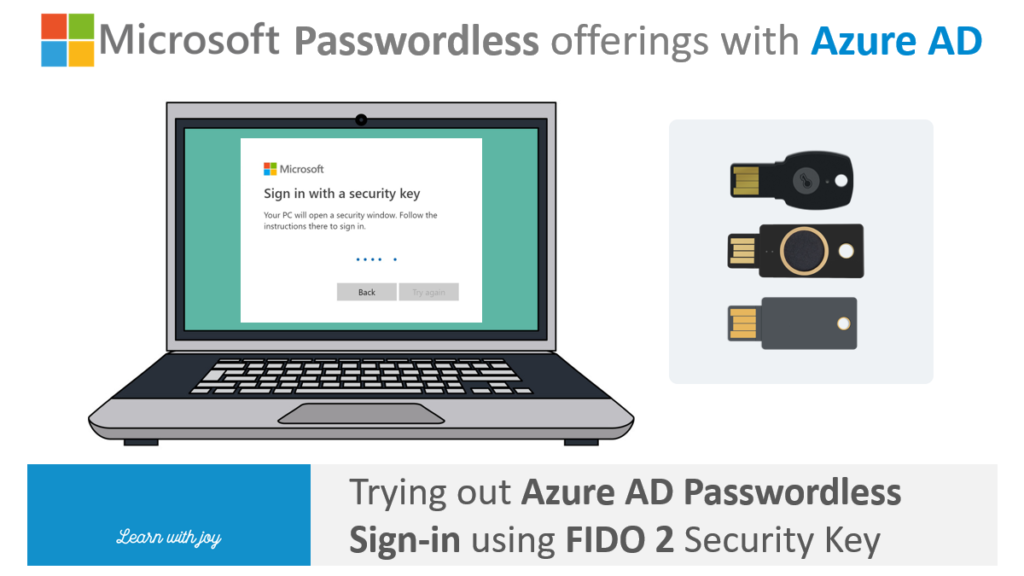
What Is Password-less Login Microsoft Azure Active Directory?
Password-less Login Microsoft Azure Active Directory (Azure AD / Microsoft Entra ID) allows users to authenticate without passwords by using:
- FIDO2 security keys (USB-A, USB-C, NFC, Biometric)
- Windows Hello for Business
- Certificate-based authentication
Among these, FIDO2 hardware security keys are considered the most secure and scalable option for enterprise environments.
AFTINDIA Security Keys, based on FIDO2 and U2F standards, provide strong cryptographic authentication that is resistant to phishing, man-in-the-middle attacks, and credential replay.
Why Enterprises Are Moving to Password-less Authentication
Global cybersecurity frameworks and regulators now recommend passwordless authentication due to its superior security posture.
Key Drivers:
- Elimination of phishing and credential theft
- Compliance with ISO 27001, NIST, PCI-DSS, HIPAA
- Reduced IT helpdesk costs (password resets)
- Improved user experience and login speed
- Zero Trust security alignment
What Is an AFTINDIA FIDO2 Security Key?
AFTINDIA Security Keys are hardware authentication devices supporting:
- FIDO2 (WebAuthn + CTAP)
- U2F (Universal 2nd Factor)
- USB-A, USB-C, NFC interfaces
- Biometric and non-biometric models
- Cross-platform compatibility
They work seamlessly with Azure Active Directory to enable true Password-less Login Microsoft Azure Active Directory across global enterprise environments.
How Password-less Login Microsoft Azure Active Directory Works with AFTINDIA Security Key
- User inserts or taps the AFTINDIA security key
- Azure AD challenges the key using FIDO2 protocol
- The key performs cryptographic verification
- User authenticates via touch or biometric verification
- Secure access is granted—no password transmitted or stored
This approach ensures phishing-resistant authentication across cloud and SaaS platforms.
Supported Platforms and Environments
AFTINDIA Security Keys support password-less login on:
- Windows 10 / Windows 11
- macOS
- Linux
- ChromeOS
- Android & iOS (via NFC)
They integrate with:
- Microsoft Azure Active Directory
- Microsoft 365
- Azure Virtual Desktop
- VPN and VDI environments
- Custom enterprise applications (WebAuthn)
Azure AD Password-less Login: Security Architecture Benefits
1. Phishing-Resistant Authentication
FIDO2 keys bind authentication to the legitimate Azure AD domain, preventing credential interception.
2. Hardware-Backed Security
Private keys never leave the AFTINDIA security key, protecting against malware and endpoint compromise.
3. Zero Trust Ready
Every login is strongly verified without relying on passwords or shared secrets.
4. Global Scalability
Ideal for multinational organizations managing thousands of users across regions.
Step-by-Step: Enable Password-less Login in Azure AD with AFTINDIA Security Key
Step 1: Enable FIDO2 Authentication in Azure AD
- Log in to Azure AD Admin Center
- Navigate to Security → Authentication Methods
- Enable FIDO2 Security Key
- Configure key restrictions and user scope
Step 2: Register AFTINDIA Security Key
- Visit Microsoft My Profile portal
- Add Security Key as a sign-in method
- Set PIN or biometric authentication
- Assign a recognizable key name
Step 3: Enforce Password-less Sign-In
- Update Conditional Access policies
- Disable password authentication where applicable
- Enforce phishing-resistant MFA
Use Cases Across Global Industries
Enterprises & Corporations
- Secure Microsoft 365 access
- Protect cloud applications
- Reduce insider threat risks
Government & Defense
- Strong identity assurance
- Compliance with national cybersecurity mandates
Banking & Financial Services
- Secure customer data access
- Prevent account takeover attacks
Healthcare
- HIPAA-compliant authentication
- Fast login for clinical staff
IT & SaaS Providers
- Secure admin access
- Protect DevOps and CI/CD pipelines
Why Choose AFTINDIA Security Keys for Azure AD?
- Enterprise-grade FIDO2 compliance
- Global deployment readiness
- USB-A, USB-C, NFC, biometric options
- Compatible with Microsoft ecosystem
- Long lifecycle and high durability
- Ideal for bulk enterprise rollouts
Conclusion: Future-Proof Identity Security with Password-less Azure AD Login
Password-less login using Microsoft Azure Active Directory with AFTINDIA Security Keys is no longer optional—it is a strategic requirement for modern organizations.
By adopting FIDO2-based authentication, enterprises can eliminate passwords, reduce cyber risk, meet compliance mandates, and deliver a seamless user experience across global operations.
Call to Action
Looking to deploy Password-less Login Microsoft Azure Active Directory with AFTINDIA Security Key authentication across your organization?
Contact AFTINDIA today for:
- Enterprise deployment consultation
- Bulk pricing for FIDO2 security keys
- Global shipping and technical support
- Proof-of-concept and pilot programs