
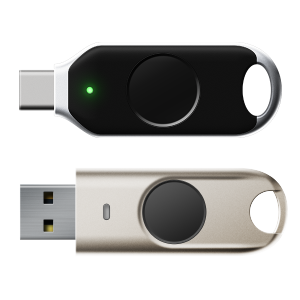
FIDO Security Keys Biometric | 3 Biometric FIDO Security Keys for Secure Login Passwordless Authentication
FIDO Security Keys Biometric
FIDO Security Keys Biometric
FIDO Security Keys Biometric for Passwordless Authentication
Biometric FIDO2 Plus Key
BioPass FIDO2 Plus Security Key K26+ | Fingerprint + USB
BioPass FIDO2 USB-C (K26+)
Biometric FIDO2 Pro Key
BioPass FIDO2 Pro Security Key K49/ K50 – Fingerprint + USB
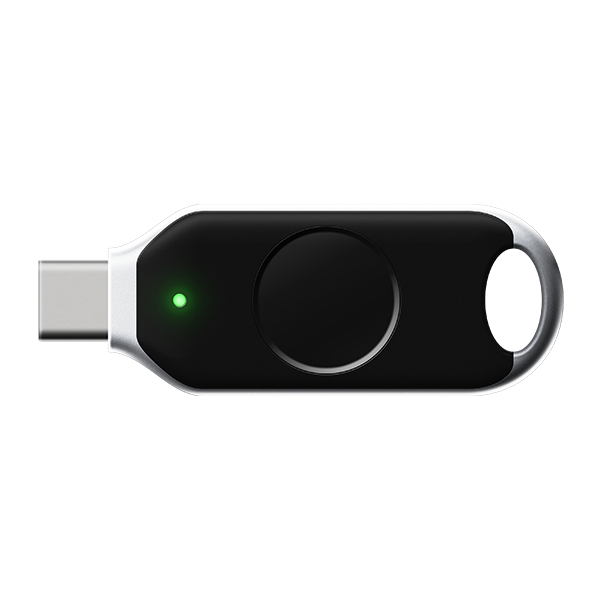
BioPass FIDO2 Pro USB-C (K49 Pro)
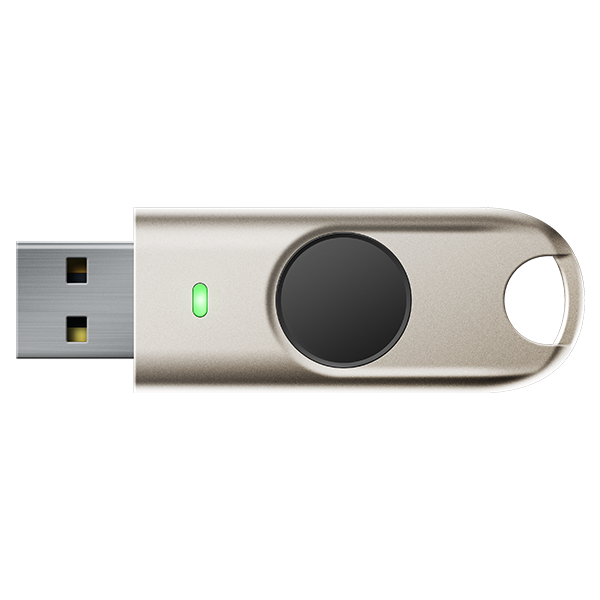
BioPass FIDO2 Pro USB-A (K50 Pro)
iePass FIDO Key
iePass FIDO Security Key K44
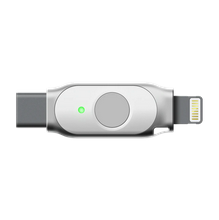
iePass FIDO (K44)
Detail Description
FIDO Security Keys Biometric for Enterprise MFA
FIDO Security Keys Biometric are a modern way to protect accounts with strong, passwordless authentication. Instead of relying on passwords that can be guessed, stolen, or phished, a biometric security key uses hardware-based identity verification to confirm the user securely and quickly. This FIDO Security Keys Biometric makes it a practical solution for businesses, professionals, and anyone who wants stronger login protection.
Other Features
- Fingerprint-based biometric authentication
- FIDO2 / WebAuthn certified security keys
- Passwordless login and strong MFA support
- Hardware-backed cryptographic protection
- Phishing-resistant authentication
- USB-A, USB-C, and NFC connectivity
- No passwords, OTPs, or shared secrets
Features:
- -FIDO U2F & FIDO2 certified security key
- -True passwordless MFA to secure your digital life
- -Identified as a standard HID device
- -Interface: USB
- -OTP(HOTP/TOTP)
- -PIV
- -WBF
- -Smart card secure element
- -Protect against phishing, man-in-the-middle attack and hijacking
- -Single authenticator could be used for multiple applications
- -Protect online accounts against unauthorized access by using FIDO2
- -Durable and compact design
Why choose FIDO Security Keys Biometric?
- Passwordless login for faster access
- Biometric verification for stronger identity protection
- Phishing-resistant security to help stop credential theft
- Works across modern devices and platforms
- Ideal for business, admin, and sensitive accounts
Secure access made simple
With FIDO Security Keys Biometric, users can authenticate with a physical key and fingerprint verification instead of typing passwords. That means fewer login hassles, stronger protection, and a smoother experience for teams and individuals.
Perfect for:
- Business and enterprise accounts
- IT and admin access
- Email and cloud services
- High-security environments
- Passwordless authentication rollouts
Built for modern security
FIDO-based authentication uses cryptographic verification, making it far more secure than passwords or OTP codes alone. Add biometric protection, and you get a reliable, user-friendly solution for stronger account security.
Protect your accounts with a smarter login experience today.
Key benefits
- Reduced account takeover risk
- Passwordless sign-in
- Stronger phishing resistance
- Faster authentication
- Better security for teams and enterprises
Best Use Cases
FIDO Security Keys Biometric are ideal for:
- Business logins
- Admin and IT access
- Email and cloud accounts
- Developer and SaaS access
- High-security environments
- Enterprise MFA and Zero-Trust security models
- Passwordless workforce authentication
- Secure cloud and SaaS access
- Privileged account protection
- Regulatory and compliance-driven security
Compatibility
- Works with laptops, desktops, and mobile devices
- Supported devices and browsers
- FIDO2 / WebAuthn compatibility
Choosing the right security key
When selecting a biometric security key, consider these features:
- USB-A or USB-C support for device compatibility
- NFC support for mobile use
- Fingerprint sensor quality for reliable biometric access
- FIDO2/WebAuthn support for broad compatibility
- Durable design for daily use
If your team uses multiple devices, choose a key that works across laptops, desktops, and smartphones.
Security best practices
To get the most from FIDO Security Keys Biometric, follow these best practices:
- Register at least one backup key
- Use them for important accounts first
- Store spare keys securely
- Combine with MFA where applicable
- Train users on proper login and recovery steps
These habits help prevent lockouts while keeping security strong.
What makes it biometric?
A biometric security key adds fingerprint or other biometric verification to the login process. In many cases, the key only works after the user confirms their identity with a fingerprint sensor built into the device.
This adds another layer of protection and convenience:
- The key stays physically with the user
- The fingerprint ensures only the authorized person can use it
- Login becomes faster and more secure than entering passwords or OTP codes
How FIDO Security Keys Biometric work
The authentication process is simple:
- You register the key with your account.
- The device stores a secure cryptographic credential.
- When you log in, the key verifies your identity.
- If biometric verification is enabled, you confirm with a fingerprint.
- Access is granted without requiring a password.
This process is based on public key cryptography, which means sensitive login secrets are never exposed to websites or attackers.
Why use biometric security keys?
FIDO Security Keys Biometric offer several important benefits:
1. Stronger security
They are resistant to phishing, credential theft, and password reuse attacks.
2. Passwordless convenience
Users can log in faster without remembering complex passwords.
3. Better account protection
They help secure email, cloud platforms, admin panels, and enterprise systems.
4. Reduced support issues
Fewer password resets mean less overhead for IT teams.
5. Easy daily use
A fingerprint scan or tap is often enough to complete authentication.
Why Choose Biometric FIDO Security Keys?
Unlike software-based authenticators, biometric FIDO security key require physical possession and fingerprint verification, making them one of the most secure authentication methods available. This dual assurance prevents phishing, credential theft, and unauthorized access even if login credentials are compromised.
What is the difference between FIDO2 and biometric security keys?
Are biometric security keys passwordless?
Are they safe against phishing?
Which devices support them?
What is a FIDO Security Key?
A FIDO security key is a physical device used to verify your identity during login. It follows the FIDO2 standard, which is designed to replace weak password-based authentication with stronger, phishing-resistant security.
Unlike passwords, which can be reused or compromised, a FIDO security key creates a unique cryptographic login process for each account. This makes it much harder for attackers to access sensitive systems, even if they know your username or password.
Are FIDO security keys safe?
Yes. FIDO security keys are considered one of the safest authentication methods available today. Because they use cryptographic verification and do not expose reusable passwords, they significantly reduce common attack risks.
Biometric verification adds extra protection by ensuring the person using the key is the rightful owner. This combination of hardware security and biometrics makes the login process both strong and user-friendly.
🔗 Related Products
- Software Protection Dongles
- Hardware OTP Solutions
- BioPass Fingerprint Security Keys
- FIDO2 Security Keys
- FIDO security keys
- Cybersecurity Hardware Security Keys
- PKI Tokens
Conclusion
FIDO Security Keys Biometric provide a secure, modern, and practical solution for passwordless authentication. They combine FIDO-based hardware security with biometric verification to protect accounts from phishing and unauthorized access while making login easier for users.
For businesses and professionals who want stronger access control, biometric security keys are a smart upgrade from traditional passwords.
Buy FIDO Security Keys Biometric | Passwordless Fingerprint Login
Shop FIDO Security Keys Biometric hardware key token for fast, secure passwordless authentication. Explore fingerprint USB security keys designed for stronger login protection.
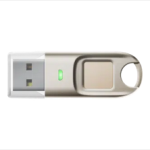
Questions? Contact Sales
Upgrade to FIDO2 biometric security key and eliminate password-based risks. Deploy fingerprint-verified, phishing-resistant authentication for your organization today.