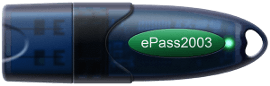
Windows smart card logon using Feitian ePass2003 PKI Smart Cards, and ePass2003 USB PKI Tokens
Windows smart card logon using Feitian ePass2003 PKI Smart Cards, and ePass2003 USB PKI Tokens
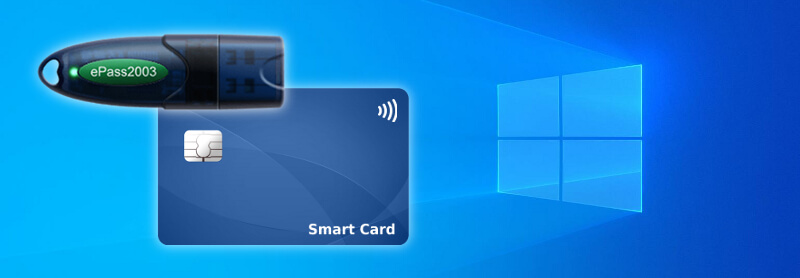
How to Smart Card Logon in Microsoft Windows?
Smart cards can be used to easily sign in to Windows domain accounts. To log on to Windows smart card logon using a smart card a user must:
- Present the smart card to the card reader, or attach the USB security token to the computer.
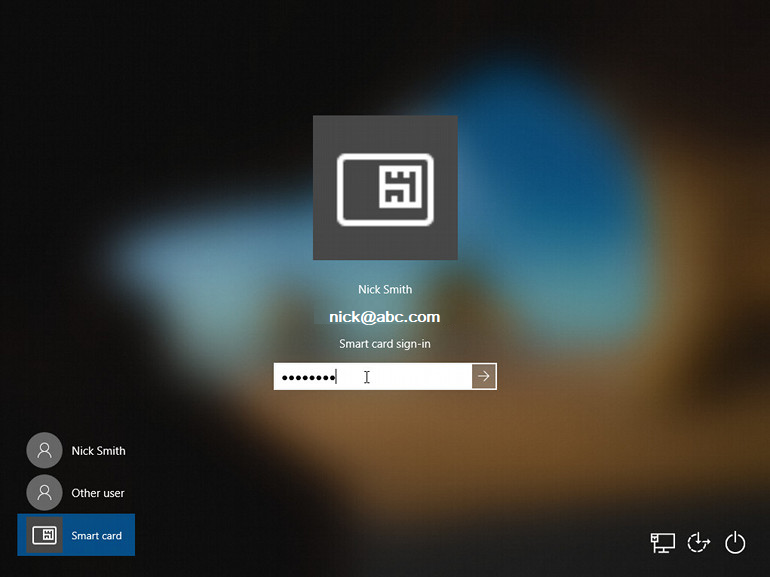
- Choose the Smart card option from the user list on the logon screen (see screenshot below). The identity of the user logging in is obtained automatically from the certificate presented by the smart card.
- Enter the PIN of the smart card or security token when prompted.
Windows smart card logon using Feitian ePass2003 PKI Smart Cards, and ePass2003 USB PKI Tokens. Windows logon using smart cards and tokens significantly improves the login security for domain user accounts. This post provides an overview of smart card logon and the hardware options available from AFTINDIA.
Windows smart card logon using Feitian ePass2003 PKI Smart Cards, and ePass2003 USB PKI Tokens enable secure Windows login via two-factor authentication (2FA) by storing digital certificates and private keys on-board, supported by Windows Smart Card Minidriver or OpenSC. Key steps include installing the ePass2003 driver/middleware, enrolling certificates via a Microsoft CA, and setting the User PIN, allowing the device to act as a secure credential in Windows.
🛠️ Infrastructure Requirements
For Windows smart card logon to work correctly the following must be in place:
✅ Active Directory & Certificate Authority
- The user account must be associated with a certificate that has Smart Card Logon enabled.
- The issuing CA (Root/Intermediate) certificates must be trusted by the domain computers.
- A Certificate Template supporting Smart Card Logon must be used when enrolling user certificates.
This setup is typical in enterprise environments and is not automatic without a PKI infrastructure.
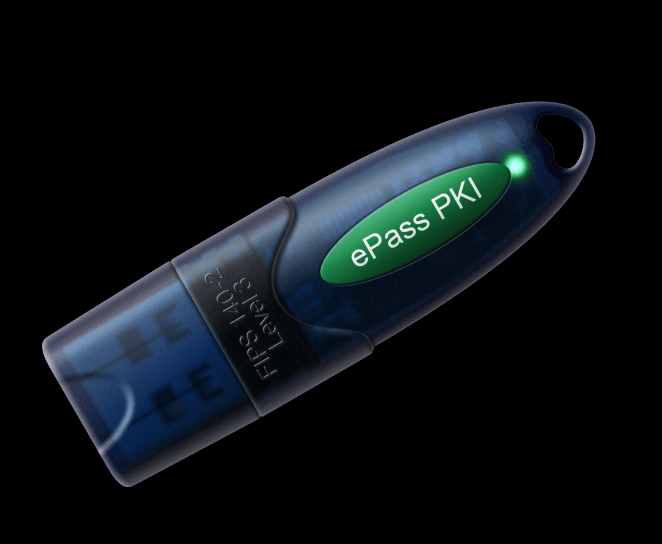
Features of Windows smart card logon devices:
Kindly noted that if you want token also supports RSA 1024/3072/4096bit,ECDSA 256bit and SHA-1, please contact us firstly.
- – The perfect choice for:
- Email Signature and Encryption
- Windows Smart Card Logon
- Document Digital Signature
- Secure Online Transaction
- Disk and File Encryption
- Remote VPN Access
- – Compliant with FIPS 140-2
- – Embedded with high performance CPU and security storage chips
- – With built-in security file system with 64K security storage space
- – Can easily implement two-factor authentication based on challenge/response
Implementation Guide on Windows smart card logon
- Driver Installation: Install the Feitian ePass2003 minidriver or middleware on the Windows machine to ensure the OS recognizes the token.
- Initialization: Use the Feitian Token Manager tool to initialize the card, set the User PIN, and initialize the PKI structure (if not pre-initialized).
- Certificate Enrollment: Enroll a smart card logon certificate (X.509 v3) on the token, typically through Microsoft Active Directory Certificate Services (AD CS) or a PKI vendor, ensuring the key usage includes “Smart Card Logon”.
- Windows Logon: Insert the USB token into the computer. At the login screen, select the smart card option, plug in the token, and enter the PIN to authenticate.
Technical Specifications
- Security Standards: FIPS 140-2 Level 3 certified, Common Criteria EAL 5+ (chip level).
- Interfaces: Supports Microsoft Minidriver, CSP, PKCS#11, and Microsoft CNG.
- Compatibility: Windows XP/Vista/7/8/10/11, Linux, and macOS (via OpenSC/OpenSCToken).
- Capacity: 64 KB memory, capable of storing multiple certificates and keys.
Windows smart card logon card and token Specifications
| Specification | Details |
|---|---|
| Supported Operating System | ePass2003, StorePass: 32 & 64 bit Windows XP SP3 / Server 2003 / Vista / Server 2008 / 7 / 8 / 8.1 / 10, Windows 11, Windows Server 2016–2022, 32 & 64 bit Linux, macOS X ePass1000Auto: 32 & 64 bit Windows XP SP3 / Server 2003 / Vista / Server 2008 / 7 / 8 / 8.1 / 10, Windows 11, Windows Server 2016–2022 ePass3003Auto: 32 & 64 bit Windows XP SP3 / Server 2003 / Vista / Server 2008 / 7 / 8 / 8.1 / 10, Windows 11, Windows Server 2016–2022, 32 & 64 bit Linux, macOS X |
| Middleware | ePass2003, StorePass: Microsoft Windows MiniDriver, Windows CSP middleware, Direct PKCS#11 library (Windows, Linux, macOS) ePass1000Auto, ePass3003Auto: Windows CSP middleware, Direct PKCS#11 library (Windows platform) |
| Standards Compliance | ePass2003, StorePass: X.509 v3 Certificate Storage, SSL v3, IPSec, ISO 7816 (1-4, 8, 9, 12), CCID ePass1000Auto, ePass3003Auto: X.509 v3 Certificate Storage, SSL v3, IPSec, ISO 7816 compliant |
| Cryptographic Algorithms | ePass2003, StorePass: RSA 1024/2048/3072/4096 bit, ECDSA 192/256 bit, DES/3DES/ECC, AES 128/192/256 bit, SHA-1 / SHA-256 ePass1000Auto, ePass3003Auto: RSA 1024/2048 bit, DES/3DES/ECC, AES 128 bit, SHA-1 / SHA-256 |
| Cryptographic Functions | Onboard key pair generation Onboard digital signature & verification Onboard data encryption & decryption |
| Cryptographic APIs | ePass2003, StorePass: Microsoft CAPI, CNG, Smart Card MiniDriver, PKCS#11, PC/SC ePass1000Auto, ePass3003Auto: Microsoft CAPI, PKCS#11 |
| Flash Memory | ePass2003: N/A StorePass: 32GB ePass1000Auto: 1MB or 2MB ePass2003Auto: 2MB ePass3003Auto: 1MB / 2MB / up to 8MB |
| Flash Endurance | ePass2003: N/A StorePass, ePass1000Auto, ePass2003Auto, ePass3003Auto: Minimum 20,000 write/erase cycles |
| Processor | ePass2003, StorePass: 16-bit smart card chip (Common Criteria EAL 5+ certified) ePass1000Auto: 8-bit smart card chip ePass3003Auto: 32-bit smart card chip |
| Memory Space (EEPROM) | ePass2003, StorePass: 64KB ePass1000Auto: 32KB ePass3003Auto: 64KB |
| Endurance (EEPROM) | Minimum 500,000 write/erase cycles |
| Data Retention | More than 10 years |
| Connectivity | USB 2.0 / 3.0 Full Speed, Type-A Connector |
| Interface | ePass2003, StorePass: ISO 7816, CCID ePass1000Auto, ePass3003Auto: ISO 7816 |
| Power Consumption | ePass2003, StorePass: Less than 250mW ePass1000Auto, ePass3003Auto: Less than 200mW |
| Operating Temperature | 0°C ~ 50°C (32°F ~ 158°F) |
| Storage Temperature | -20°C ~ 60°C (-4°F ~ 185°F) |
| Humidity | 0% ~ 100% (non-condensing) |
| Water Resistance | IPX8 with glue injection (under evaluation) |
Key Benefits of Windows smart card logon
- Two-Factor Authentication: Requires both physical possession of the token and knowledge of the PIN.
- Versatility: Beyond logon, it supports email encryption/signing, VPN access, and file encryption (EFS).
- Portability: Compact USB form factor.
For environments without Active Directory, third-party solutions such as EIDAuthenticate can be used to manage local smart card authentication.
ePass2003 USB Token
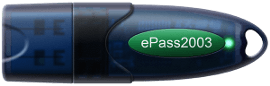
- X.509 v3 Certificate Storage
- FIPS 140-2 Level 3
- Supports Microsoft CAPI and CNG
PKI Smart Card
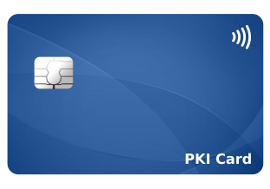
- X.509 v3 Certificate Storage
- Credit card size (ID-1)
- Contactless (NFC)
- Supports Microsoft CAPI and CNG
PKI Tokens Authentication, Encryption and Digital Signatures
PKI Tokens Authentication hardware, Encryption and Digital Signatures provide secure storage for digital certificates and private keys. They allow public-key cryptography and digital signatures to be leveraged securely, without risk of leaking the private key information.
What is PKI?
PKI, which stands for Public Key Infrastructure, is a system which creates, stores and distributes digital certificates. Digital-certificates are used to secure the transfer of information, assert identity information and verify the authenticity of messages through public key cryptography and digital signatures.
In a PKI, digital certificates are issued by a Certificate Authority (CA) and bind public keys with identities (eg, users).
PKI security can be deployed in web applications, online banking, BYOD, e-ID, e-Healthcare and more.
Windows smart card logon using Feitian ePass2003 PKI Smart Cards, and ePass2003 USB PKI Tokens
Hardware PKI Tokens
PKI tokens are hardware devices that store digital certificates and private keys securely. When you need to encrypt, decrypt or sign something, the token does this internally in a secure chip meaning the keys are never at risk of being stolen.