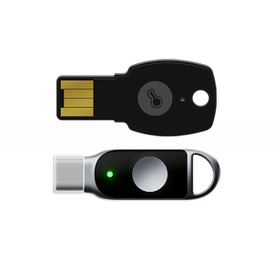
ePass FIDO Security Keys for sale
ePass FIDO Security Keys
- Model Number: ePass FIDO
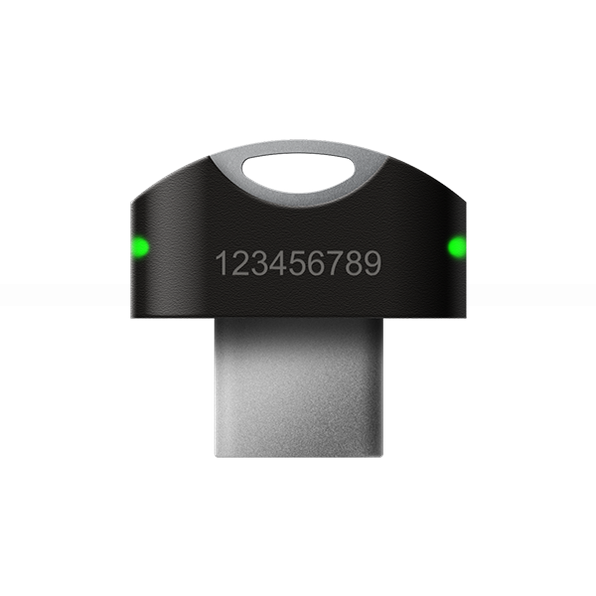
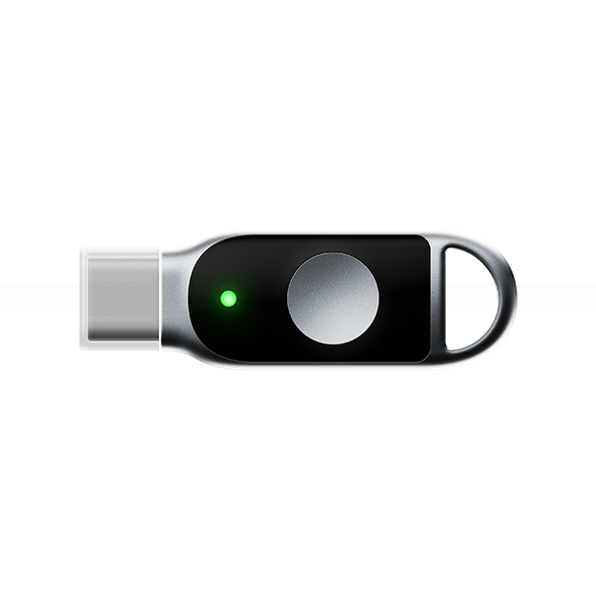
- Casing Model: A4B, K39
- A4B U2F + Fido 2 + USB-A / options: OTP / applet HOTP/TOTP
- K39 U2F + Fido 2 + USB-C / options: OTP / applet HOTP/TOTP
- Application: FIDO U2F & FIDO2 & HOTP & TOTP
- Interface Type: USB-A / USB-C
- Item: 1 * ePass FIDO
- Unit Price: Contact Sales
- Quantity: * The minimum purchase quantity is 5
- *For customization requirement, please contact us.
- Shipping fee included
- For mass quantity or more customization, please contact us.
ePass FIDO Security Key A4B/K39/K10/K28
ePass FIDO Security Keys – FIDO2 + FIDO U2F certified and supported USB security key
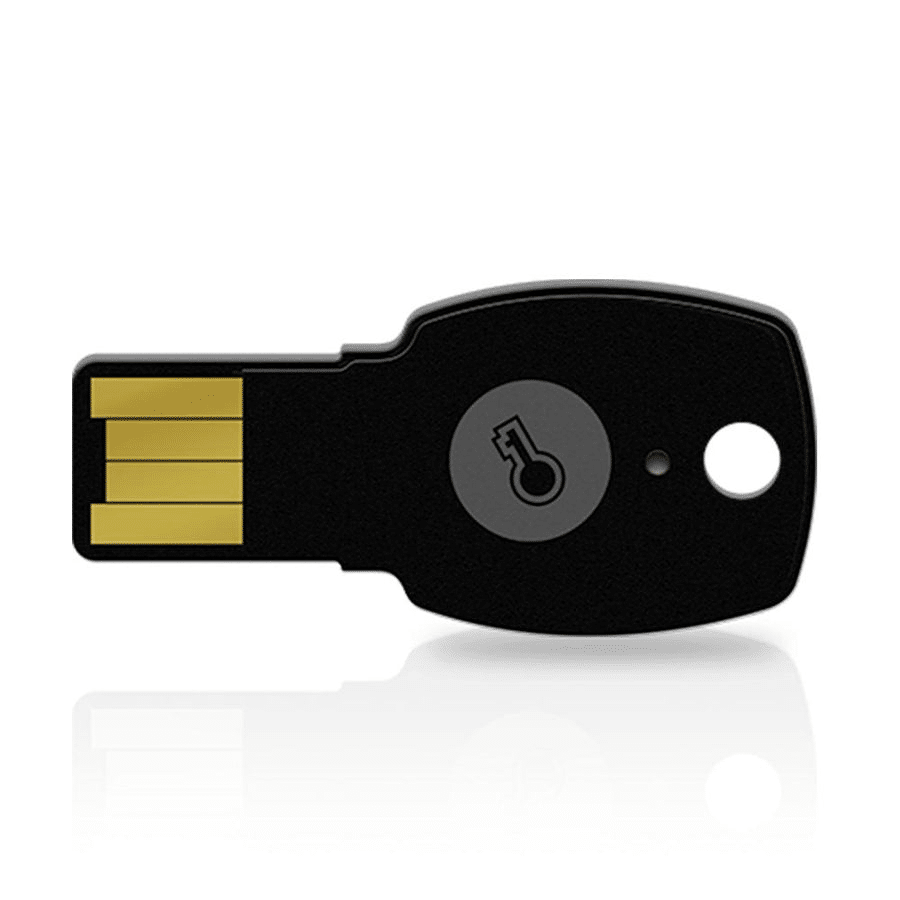
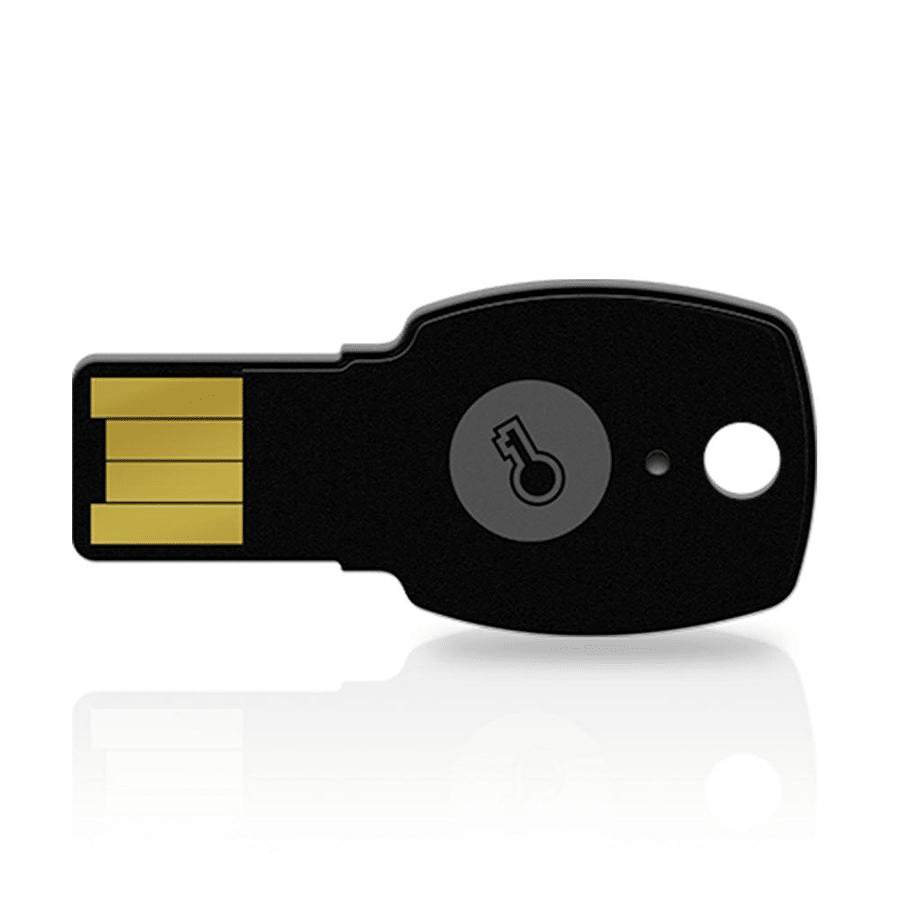
ePass FIDO USB-A (A4B) – USB-A FIDO key

ePass FIDO USB-A (K10) – USB-A Interface
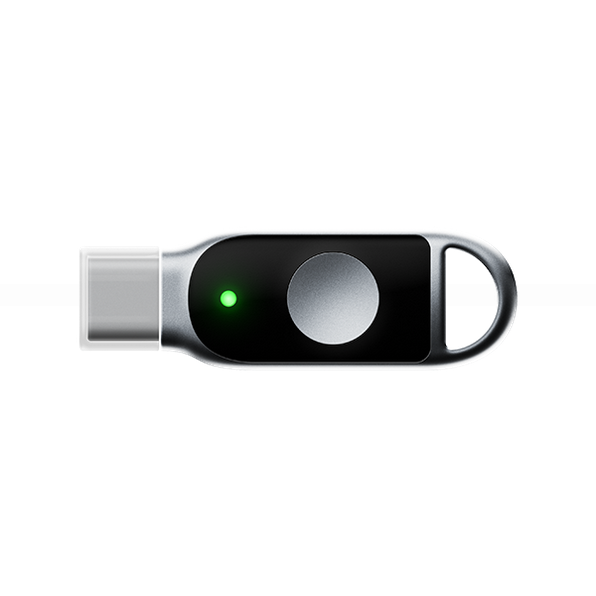
ePass FIDO USB-C (K39) – USB-C FIDO security key
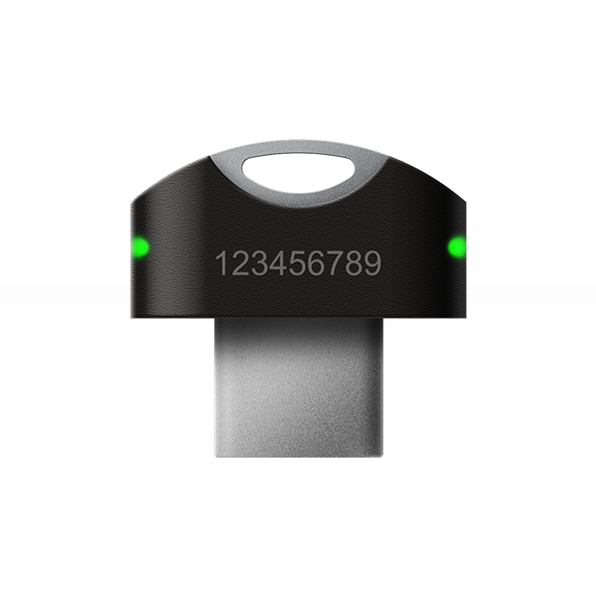
ePass FIDO USB-C (K28) – USB-C Interface
Main Features of ePass FIDO Security Key A4B K10 K39 K28
ePass FIDO USB Keys. Passwordless Authentication USB-A, USB-C devices.
- FIDO U2F & FIDO2 certified security key-Identified as a standard HID device
- Interface: USB
- Smart card secure element
- Protect online accounts against unauthorized access by using 2FA, FIDO U2F USB key, FIDO2 security key Feitian
- OTP (HOTP/TOTP) , GIDS also supported-Prevent phishing and Man-In-The-Middle attack
- Single authenticator could be used for multiple applications
- Works with the latest Google Chrome or any other FIDO-compliant application on Windows, Mac OS or Linux (such as Gmail, Facebook, Dropbox, and many other services)
- Durable and compact design
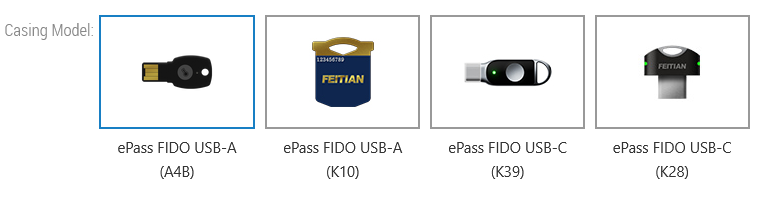
ePass FIDO Security Key A4B K10 K39 K28
Passwordless Authentication USB-A, USB-C devices. ePass FIDO USB Keys offer USB, TOTP/HOTP functionality.
- Phishing-Resistant Security: Simplify and secure your online authentication with ePass FIDO USB Keys utilizing FIDO2 and FIDO U2F certification.
- HOTP & TOTP Functionality: Supports Legacy systems and web applications that do not yet support FIDO authentication with one-tap OTP.
- Compact and Durable Design: The key’s size is similar to a door key, allowing for easy attachment to key chains. The durable design and injection molding provide protection against physical attacks.
- Wide Compatibility: Works with popular services and applications like Bank of America, Coinbase, Dropbox, DUO Security, Facebook, Google Accounts, Microsoft Accounts, Microsoft Active Directory, Microsoft Azure Entra ID, Okta, Ping Identity, Salesforce, Twitter, Zoho, and many more.
Benefits of Using ePass FIDO Keys
- Strong Phishing Resistance
- Using FIDO2’s public-key cryptography, the key ensures that only genuine services registered with your account can authenticate — reducing risk from phishing or man-in-the-middle attacks.
- Multi-Protocol Flexibility
- Supports FIDO U2F, FIDO2, HOTP, and TOTP, making it adaptable for modern identity platforms as well as legacy systems.
- Cross-Platform Compatibility
- Compatible with Windows, macOS, Linux, and ChromeOS.
- Compact and Durable Design
- Available in different form factors (USB-A, USB-C, mini) to suit your device and usage style.
- Cost-Effective Security
- The A4B model is particularly noted for being an affordable FIDO2-certified security key.
- Credential Management
- Manage multiple accounts easily, without limit on the number of stored credentials.
Certifications





ePass FIDO Security Keys FAQ
What are ePass FIDO Security Keys?

Feitian ePass A4B U2F + Fido 2 + USB-A / options: OTP / applet HOTP/TOTP
Feitian ePass K10 U2F + Fido 2 + USB–A / options: OTP / applet HOTP/TOTP
Feitian ePass K39 U2F + Fido 2 + USB-C / options: OTP / applet HOTP/TOTP
Feitian ePass K28 U2F + Fido 2 + USB-C / options: OTP applet HOTP/TOTP
ePass FIDO security keys are hardware authenticators built and service offered by Aftindia’s FEITIAN Technologies. These keys serve as second-factor (2FA) and passwordless (WebAuthn) devices. With a smart-card secure element inside, they perform cryptographic operations like challenge-response, ensuring that your private credentials never leave the device. Thanks to FIDO U2F and FIDO2 support, they are compatible with a wide range of online services, browsers, and identity platforms.
What is an ePass FIDO Key?
The Aftindia’s Feitian ePass FIDO Key is a reliable and secure authentication device designed to deliver strong two-factor authentication (2FA) using FIDO U2F and FIDO2 standards. With advanced passwordless authentication, the ePass FIDO Key protects your online accounts by adding a powerful extra layer of security beyond just a password. Whether you’re securing personal accounts or enterprise systems, the ePass FIDO Key helps defend against phishing, credential theft, and unauthorized access, making it an essential tool for modern online security.
How does an ePass FIDO Key work?
When logging in to a supported online service, you will be prompted to insert your ePass FIDO Key into your device’s USB port and simply touch the built-in sensor. The ePass FIDO Key then generates a unique cryptographic response that securely verifies your identity with the service. This advanced FIDO2 and FIDO U2F authentication method helps prevent phishing attacks and blocks unauthorized access, ensuring your login credentials remain safe and protected.
How many accounts can I protect with a single ePass FIDO Key?
A single ePass FIDO Key can secure an unlimited number of accounts across various websites, applications, and online services. Each account is assigned a unique cryptographic key pair by the ePass FIDO Key, ensuring maximum privacy, strong security, and protection against identity theft or unauthorized access.
What should I do if I lose my ePass FIDO Key?
If you lose your ePass FIDO Key, most supported services offer secure account recovery options using backup authentication methods, such as recovery codes or another registered security key. To ensure uninterrupted access and enhance account security, it is strongly recommended to register multiple ePass FIDO Keys or other trusted FIDO security keys as backup devices. This redundancy helps maintain seamless access while upholding strong, phishing-resistant authentication.
What is the difference between U2F and FIDO2?
U2F (Universal Second Factor) is focused on second-factor authentication, while FIDO2 (WebAuthn & CTAP) supports passwordless authentication. The ePass FIDO keys support both.
Are these keys FIDO Alliance certified?
Yes, the ePass FIDO (A4B, K10, K28, K39) models are FIDO U2F and FIDO2 certified.
Which operating systems do they support?
Windows, macOS, Linux, Chrome OS, and many web browsers.
Can I use the same key for multiple accounts?
Absolutely. ePass FIDO keys support storing unlimited credentials for different web services.
ePass FIDO Security Keys Resources
ePass A4B Product Sheet
ePass K39 Product Sheet
How to Configure & Manage (Setup, OTP, PIN)
- Setup via SK Manager
- Use SK Manager tool to register your FIDO credentials, set or change PINs, and manage FIDO applets.
- Configure OTP / HOTP / TOTP
- With certain firmware versions, you can enable HOTP or TOTP (time-based) authentication.
- Credential Reset & Management
- Use SK Manager to reset or re-enroll FIDO credentials.
- Best Practices
- Use a secure, well-updated browser.
- Register the ePass FIDO key with all critical services.
- Keep a backup key or secure method in case the primary key is lost.
Use Cases: Who Should Use These Keys
- Enterprise & Business: Provide your employees with ePass FIDO keys to enforce strong MFA and passwordless login via Azure AD, Okta, or other identity providers.
- Developers & IT Professionals: Secure dev tools, CI/CD pipelines, and infrastructure with U2F / FIDO2 keys.
- Individual Power Users: Protect personal Google, Facebook, Dropbox, and other accounts against phishing.
- Regulated Industries: Use in banking, finance, or healthcare environments where high-assurance authentication is required.
ePass FIDO USB Security Keys (A4B, K10, K39, K28)
The Feitian ePass FIDO USB Security Key series (models A4B, K10, K39, and K28) offers a robust, hardware-based solution for secure authentication. Certified by the FIDO Alliance for FIDO2 and U2F, these security keys protect your online accounts from phishing and unauthorized access using modern cryptographic standards.